Local and remote Docker hosts
Local UNIX-socket connections and remote SSH access, with single-host and combined inventories. Dashboards bring container state, resource measurements, storage usage, and recent activity into one view.
INDEPENDENT PRODUCT DEVELOPMENT / OPEN SOURCE
One dashboard.
Your Docker hosts, connected.
I’m the sole creator and developer of DockMaster, a Docker host manager that brings container operations into one web application. I built the Go backend, React/TypeScript frontend, SQLite database integration, and deployment workflow — connecting infrastructure experience with full-stack product development.
Application deployment templates
Docker host connections
Backend & frontend
Open-source license
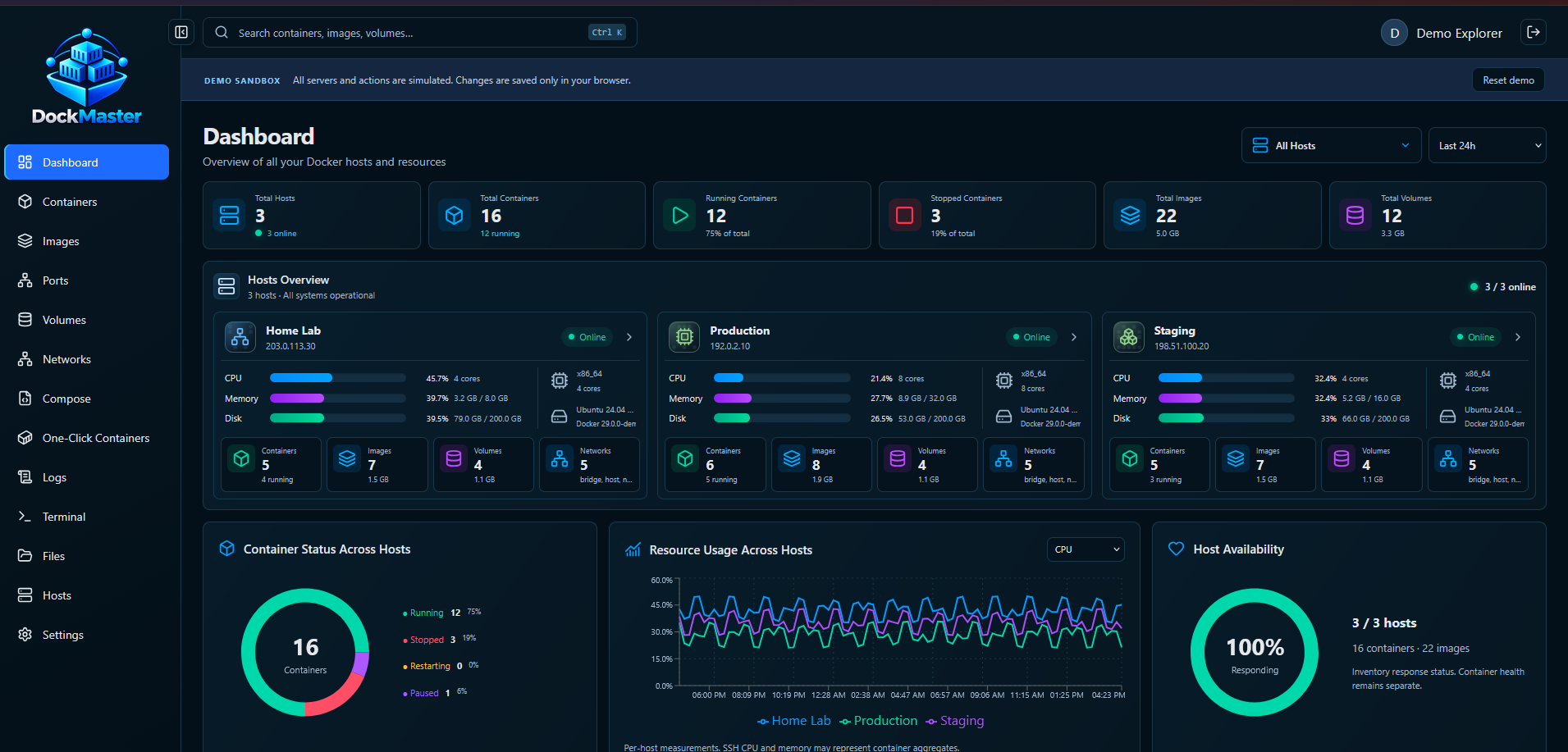
Public sandbox with simulated hosts, actions, and metrics. An installed instance connects to real Docker engines through local sockets or SSH.
Explore the demo01 THE PRODUCT
Running Docker across several hosts means keeping track of containers, configuration, storage, networking, logs, and deployment state. DockMaster brings those tasks together.
The application can connect to a local Docker socket or remote Linux hosts over SSH. Users can work with an individual host or a combined inventory, then move from an overview into container configuration, Compose projects, images, networks, volumes, terminals, and files.
I developed both sides of the product: a Go API that interacts with Docker and remote hosts, and a React/TypeScript interface that makes those capabilities usable. The source, API schema, Docker build configuration, and deployment guides are public.
02 WHAT I BUILT
Host management, Docker workflows, deployment tooling, and a usable interface for the details.
Local UNIX-socket connections and remote SSH access, with single-host and combined inventories. Dashboards bring container state, resource measurements, storage usage, and recent activity into one view.
Container creation and lifecycle controls, inspect views, environment variables, resource settings, ports, mounts, and duplication. Streaming logs, container terminals, and file tools support investigation inside running workloads.
Discover and edit Compose projects, validate configuration, and follow deployment jobs. A catalog of 99 application templates across 10 categories adds guided inputs, generated credentials, port allocation, and persistent storage.
Pull, build, tag, push, export, and remove Docker images. Background transfer jobs show progress, while integrated Trivy scanning adds an on-demand vulnerability inspection workflow.
Dedicated views for port bindings, volumes, mounts, network attachments, and topology. Host selection and combined inventories help users keep the relationship between workloads and resources visible.
Administrator, operator, and viewer roles; optional TOTP authentication; read-only API tokens; and audit records. The deployment uses a multi-stage Docker build and Docker Compose, with documented setup for SSH hosts.
03 THE TECHNICAL FOUNDATION
A complete application that connects a modern web interface with real infrastructure operations.
Docker integration, SSH host connections, operations, and background jobs.
Dashboards, resource workspaces, configuration editors, and terminal views.
Persistent application data with database migrations.
A multi-stage application image and Docker Compose deployment.
Local sockets & SSH
Hosts, inventory & resources
Containers, Compose & apps
Logs, terminals & files
04 INSIDE THE INTERFACE
Views from the public sandbox. Select a screenshot to inspect the full interface; hosts and resource values are simulated.
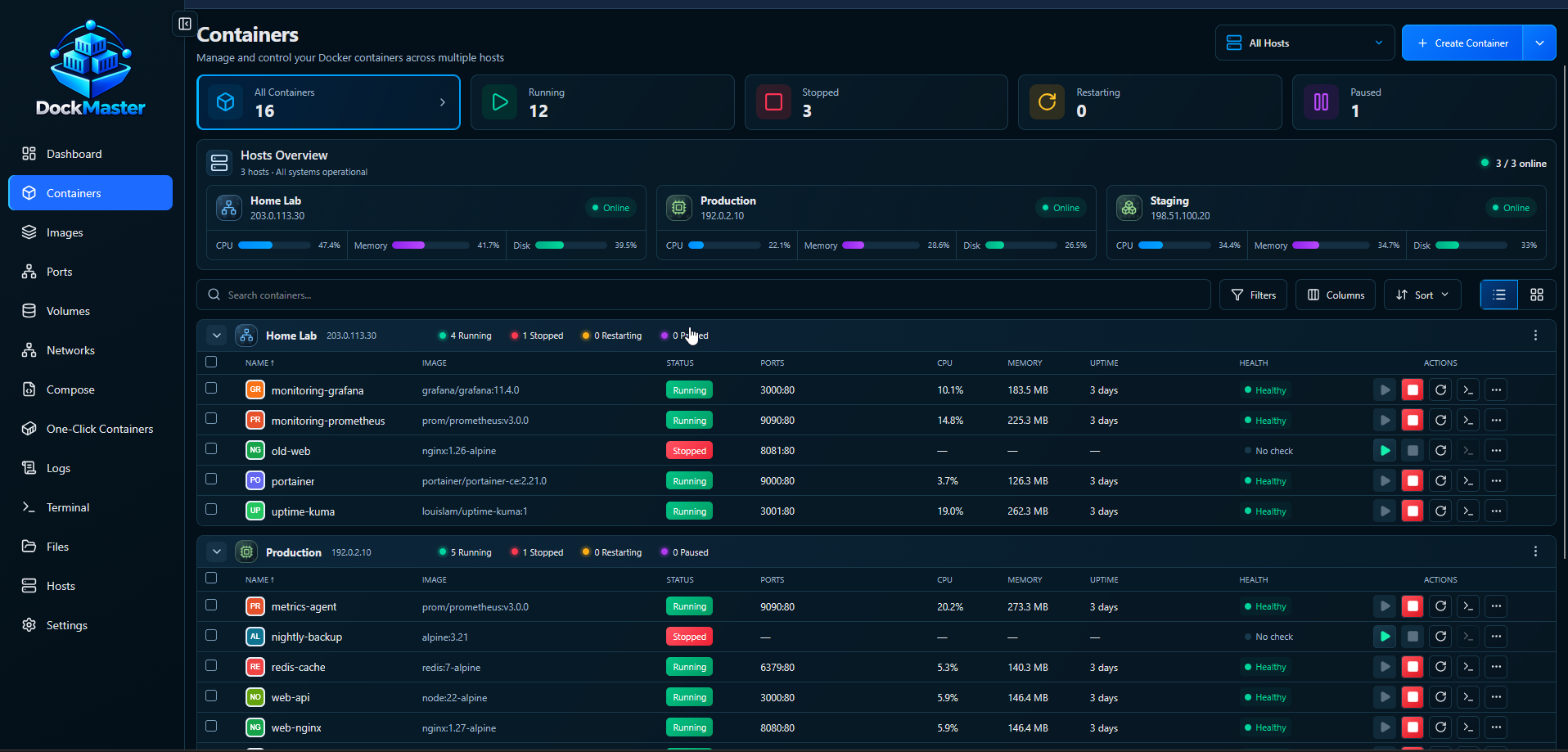
Searchable inventories, container state, health, resource usage, and actions grouped around the Docker host.
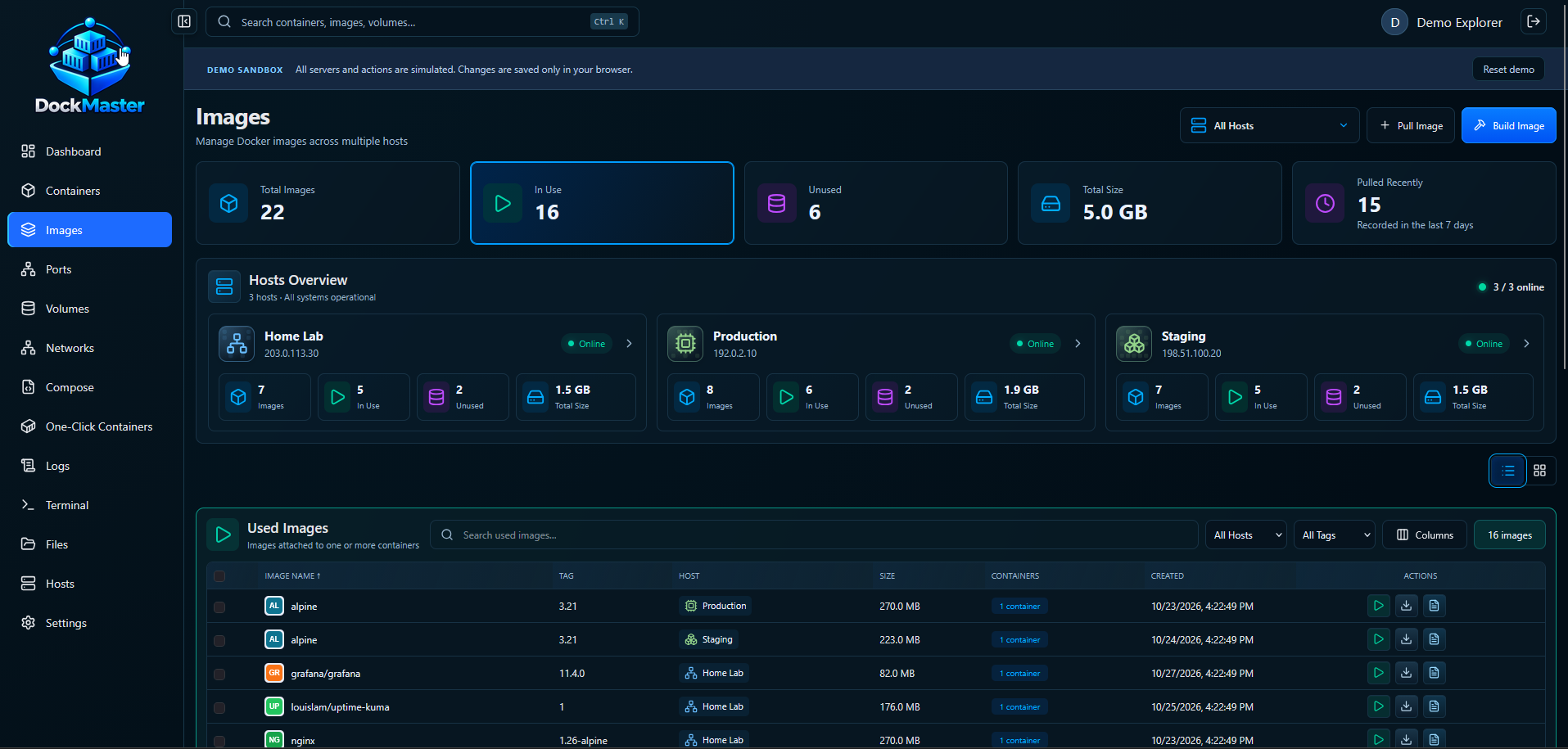
Host-aware image inventory, storage visibility, and workflows for building and managing images.
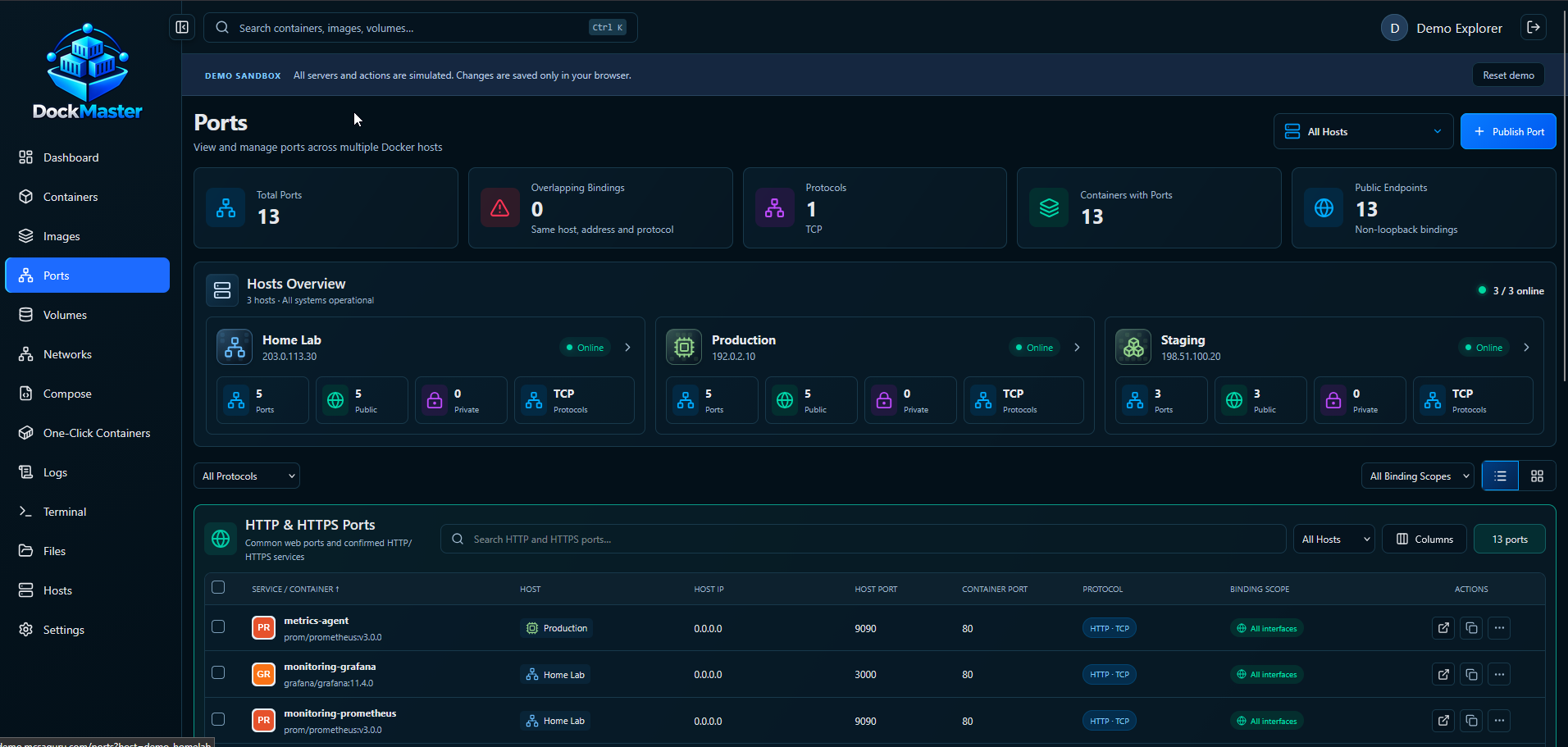
Port bindings, protocol details, host mappings, and endpoint views across Docker hosts.
05 THE SKILLS BEHIND THE PRODUCT
DockMaster shows how I turn operational knowledge into software people can explore, use, and inspect.
The repository documents implemented functionality and current limits. The demo is a simulated sandbox. Backup and restore, finer host-scoped permissions, and other roadmap items remain future work.
Read the current scope